

You’re halfway through a video call, or your favourite show is finally getting good, and then it happens the dreaded spinning wheel. If you’ve ever muttered “why is my NBN so slow” while staring at a frozen screen, you’re in good company. It’s one of the most common frustrations for households right across Australia, and the causes are usually more fixable than people expect.
The good news is that slow NBN speeds rarely come down to bad luck. More often, it’s a specific, identifiable issue whether that’s your router’s position, network congestion, or outdated equipment. And if you’re on the Sunshine Coast, professional internet solutions services Sunshine Coast homeowners trust can pinpoint the exact cause and get your connection running the way it should. This guide walks through the most common culprits and what you can actually do about them.
Why Your NBN Might Be Running Slow
Before jumping to conclusions about your internet plan, it’s worth understanding what typically causes NBN speeds to drop. If you’ve been asking yourself why your NBN so slow lately, in most cases it comes down to one (or a combination) of these factors.
1. Network Congestion During Peak Hours
Ever notice your internet slows down like clockwork between 7pm and 11pm? That’s network congestion when a large number of users in your area are online simultaneously, overall speeds can dip, even if your connection itself is working fine.
2. Wi-Fi Interference and Poor Router Placement
This is one of the most overlooked issues. Thick walls, distance from the router, nearby appliances, and even neighbouring Wi-Fi networks can all weaken your signal. If your wired connection tests fine but Wi-Fi feels sluggish, the problem usually isn’t your NBN at all it’s your home network setup.
3. Outdated or Poorly Positioned Equipment
An old router simply can’t keep up with modern household demands. If it hasn’t been updated in several years, or it’s tucked away in a cupboard far from where you actually use the internet, that alone could explain a lot of your frustration.
4. Too Many Connected Devices
Smart TVs, phones, laptops, gaming consoles, security cameras modern households often have dozens of devices competing for bandwidth at once. If your plan and equipment weren’t built to handle that load, performance will suffer.
5. An Internet Plan That No Longer Matches Your Usage
A plan that suited one person browsing and emailing a few years ago might not cut it now that the whole household is streaming in 4K, gaming, and working from home simultaneously.
Simple Checks You Can Try First
Before calling in the professionals, a few basic troubleshooting steps are worth attempting:
- Restart your modem and router unplug both, wait 30 seconds, then reconnect
- Run a speed test at different times of day to see if the issue is consistent or peak-hour related
- Test a wired connection via Ethernet to rule out Wi-Fi-specific issues
- Check for outages through your internet provider before assuming equipment is at fault
- Reposition your router to a central, elevated spot, away from walls and appliances
If these steps don’t resolve the issue, it’s a strong sign the problem needs a closer, more technical look.
When It’s Time to Call a Professional
Some NBN issues are simple enough to fix at home. Others point to a deeper problem with your internal wiring, router configuration, or overall network setup the kind of thing that needs a trained eye to properly diagnose. If you’ve tried everything and you’re still stuck wondering why your NBN so slow remains an issue, this is exactly where reliable internet solutions services Sunshine Coast providers make the biggest difference, offering proper diagnostics instead of guesswork.
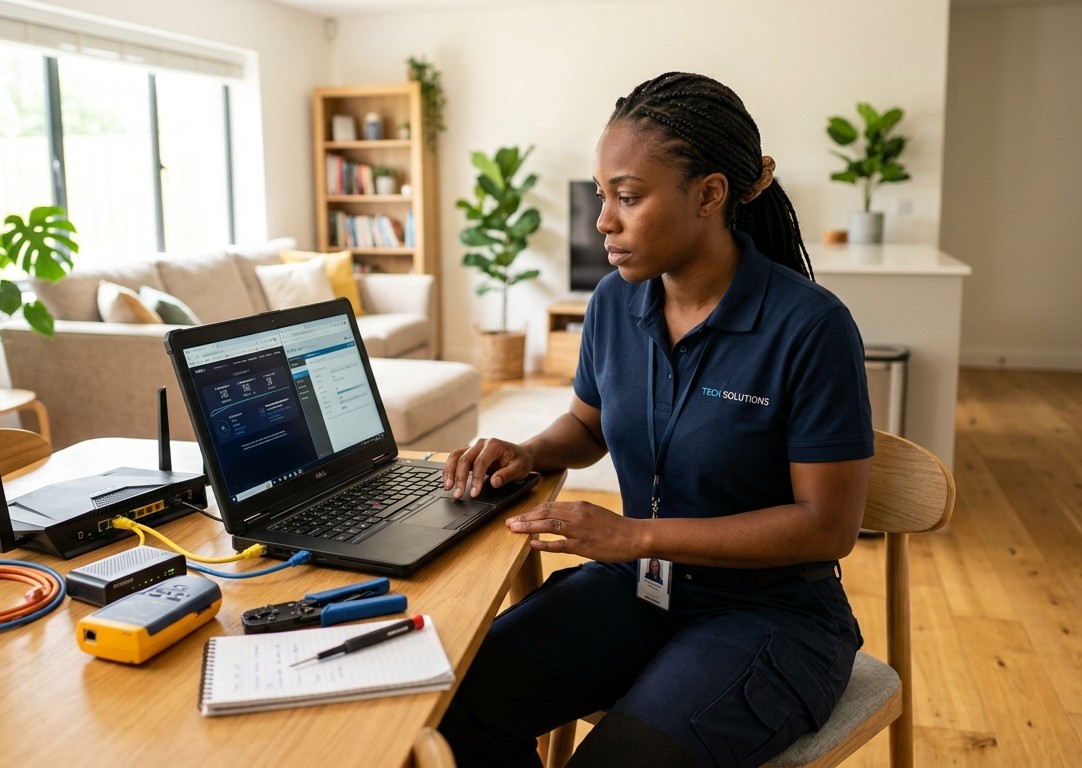
Signs it’s time to bring in an expert:
- You’ve tried the basic fixes above with no lasting improvement
- Speeds are consistently below what your plan promises, even during quiet hours
- Certain rooms in your home never get a decent signal
- Your connection drops out regularly, regardless of time of day
- You’re adding new devices or expanding your home without updating your network
How Brocky’s Internet Can Help
At Brocky’s Internet, we specialise in identifying exactly what’s slowing your connection down and fixing it properly, not just patching the symptoms. Our technicians assess your entire home network, from router placement to signal strength in every room, so you get a solution that actually lasts.
Here’s what our approach includes:
- A full diagnostic of your current setup, both wired and wireless
- Honest recommendations, whether that’s reconfiguration, new equipment, or better placement
- Clear explanations of what’s actually causing your issue
- Friendly, local service across the Sunshine Coast
If your Wi-Fi coverage is the main issue rather than your NBN connection itself, our Wi-Fi Repair & Installation Services page covers everything we offer for whole-home coverage. And if you want a deeper dive specifically into fixing sluggish Wi-Fi, we’ve also put together a guide on practical internet solutions to fix slow Wi-Fi.
You can also see what local customers have said about working with us on our Google Business Profile.
A Quick Note on Understanding the NBN Itself
For context, the National Broadband Network is Australia’s national wholesale broadband infrastructure, built and operated by NBN Co to deliver internet access across the country. Because it’s a wholesale network, your actual speed and reliability also depend heavily on your retail provider and your home setupwhich is why two households on the same NBN technology can have very different experiences.
If you want to see how your connection compares to national benchmarks, the ACCC’s broadband speed guidance is a useful reference point before assuming your setup is the problem.
Final Thoughts
Slow NBN speeds are frustrating, but they’re rarely a mystery once you know what to look for. From network congestion to outdated routers, most issues have a clear, fixable cause. If you’ve worked through the basics and you’re still asking why your NBN so slow, it’s time to bring in the experts. With the right diagnosis and a tailored fix, you can finally get the fast, reliable connection you’re paying for.
Running an Airbnb on the Sunshine Coast? Reliable Wi-Fi isn’t just a nice-to-have for your guests it’s often the difference between a five-star review and a frustrated one. Brocky’s Internet helps local hosts set up dependable, whole-property Wi-Fi that keeps guests happy and your bookings running smoothly. Contact us today to get your property’s internet sorted properly.
FAQs
1. Why is my NBN slow only at night?
This is usually network congestion, as more households in your area are online during peak hours (typically 7pm-11pm), which can temporarily reduce speeds.
2. Is slow Wi-Fi the same as a slow NBN connection?
Not always. If a wired Ethernet connection tests at full speed but Wi-Fi feels slow, the issue is likely your router or home network setup, not the NBN itself.
3. Can changing my router actually fix slow speeds?
In many cases, yes. Older routers often can’t handle modern device loads or deliver strong coverage throughout larger homes.
4. Should I upgrade my NBN plan if my speeds are slow?
Not necessarily straight away. It’s worth ruling out equipment, placement, and congestion issues first, since a plan upgrade won’t fix a poor home network setup.
5. Will restarting my router fix slow NBN speeds?
Often, yes a simple restart clears temporary glitches and refreshes the connection. If speeds stay slow after a restart, the issue likely needs a deeper look at your equipment, placement, or network congestion.